PUBLISH REVIEW - Authorize Sharepoint in Velosimo Admin
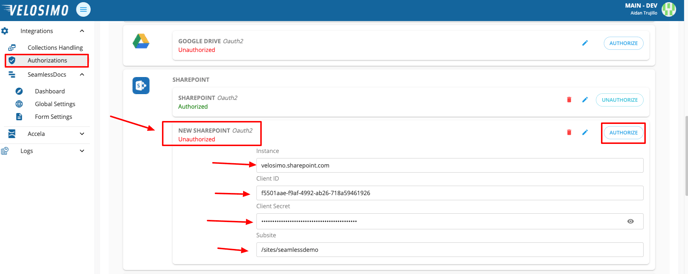
- Navigate to the “Authorizations” tab. Find Sharepoint in the list and enter an Instance, Client ID, Client Secret, and Sharepoint Subsite. Once completed click the Authorize button.
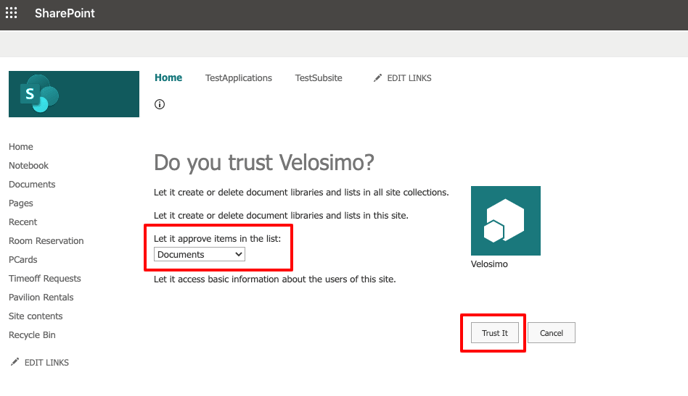
- If the credentials are validated Velosimo will redirect you to your Sharepoint. Under “Let it approve items in the list” make sure “Documents” is selected. Click the Trust It button to accept the connection. The page will redirect to the Velosimo Connect Admin and Sharepoint will be authorized.