- Open a Web Browser and navigate to your Sharepoint site.
- Log into Sharepoint.
- 3. Go to URL https://<your sharepoint>/_layouts/15/AppRegNew.aspx.
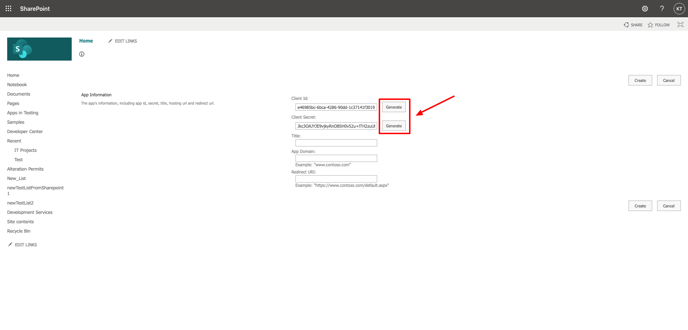
- Click Generate a Client ID and Client Secret. Copy the Client ID to clipboard, you will need this for step 2 of the next section.
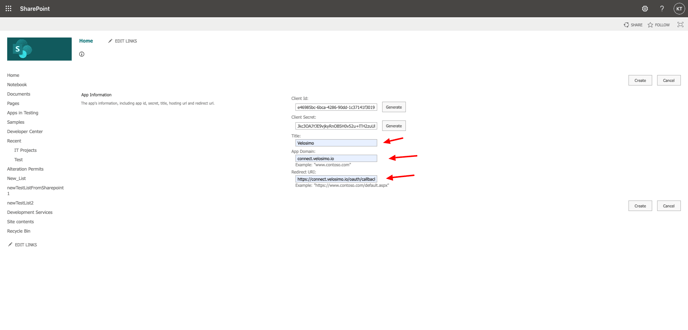
- Enter ‘Velosimo’ into the Title field, 'connect.velosimo.io’ into the App Domain field, and ‘https://connect.velosimo.io/oauth/callback’ into the Redirect URL field
- Click Create
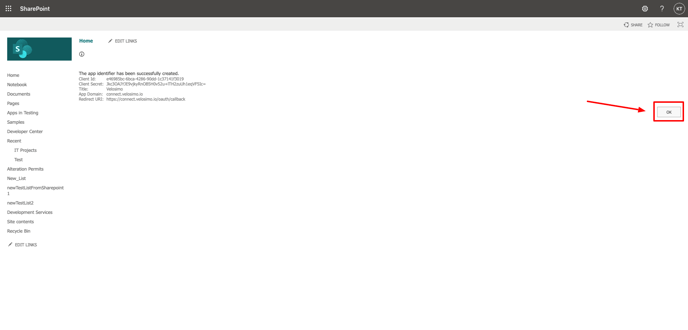
- You will be redirected to this message screen after successfully creating the app. Click OK.