Create Velosimo Accela User, Connect to Accela
- Velosimo Configuration
- Accela Configuration
- Solution
- Updating the Project ID
Velosimo Configuration
Create VELOSIMO Accela User
The user used to connect Accela to ePlanSoft via the Accela Construct API. Typically the user we use to configure the development environment and connect and view production issues.
User Name = Velosimo
Set the password reset out to 9999. Make sure this user is in the Admin Department and group. Enable the 0364- Restful Script APIs for all the user groups. Make sure this user is in all groups for all the Modules in the project.
Connect to Accela
Connect to the Accela Construct API.
Watch how to connect to the Accela Construct API.
*Connecting to the Accela API needs to be done in an Incognito browser session.*
-
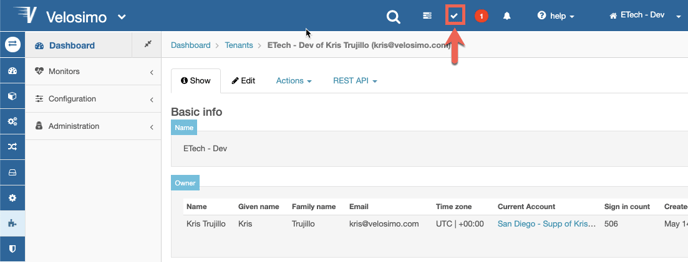
To connect to Accela. Click the checkmark on the top of the screen.
-
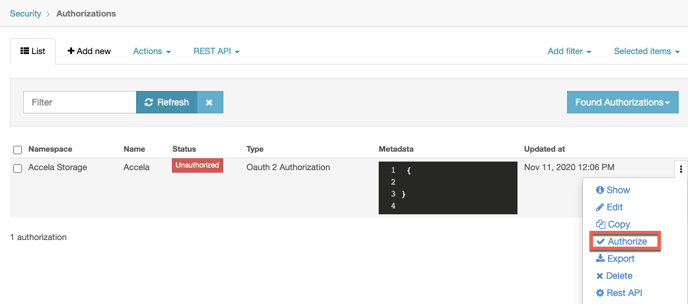
Click on the three dots to the right on Accela Storage.
-
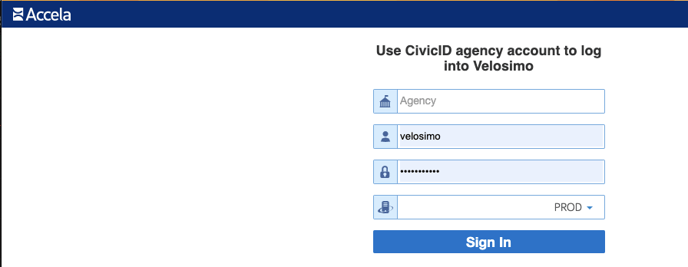
Enter the Accela agency details.
-
Click the Sign In button.
-
Click the Allow button.
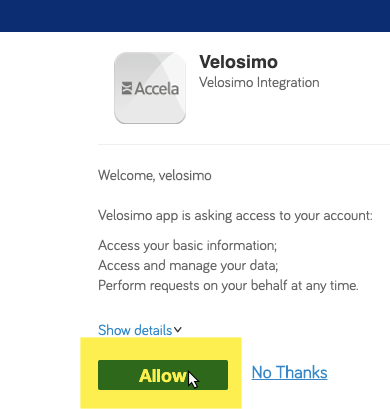
-
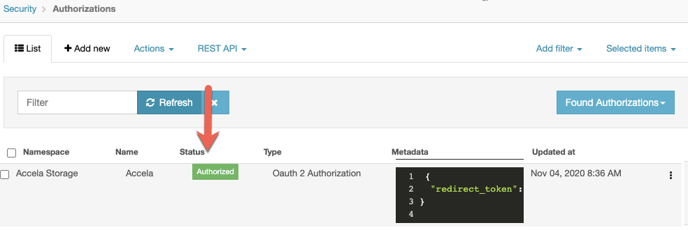
The screen redirects back to Velosimo, and the Accela Storage status is Authorized.