
Application
- Algorithms
- Application
- Snippets
Compute
The Compute menu is where the user can define the algorithms, applications and review the snippets. Essentially, all regarding with code.
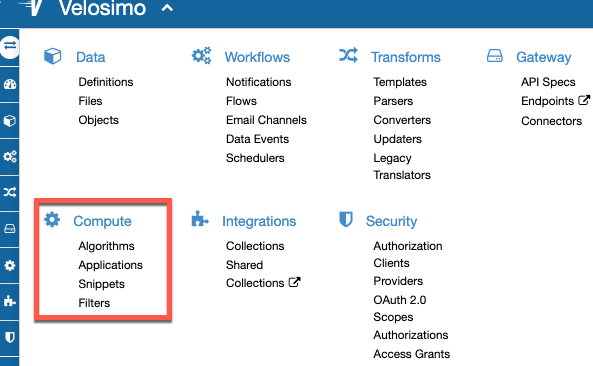
Application
An application in Velosimo is defined as an actions group where the user could access them through the application outside Velosimo usually by the url: https://velosimo.com/app/{app_id_or_slug}
It is helpful for creating your own application with its own interface and using Velosimo as background. Also helpful to interact with a third party application.
New Application
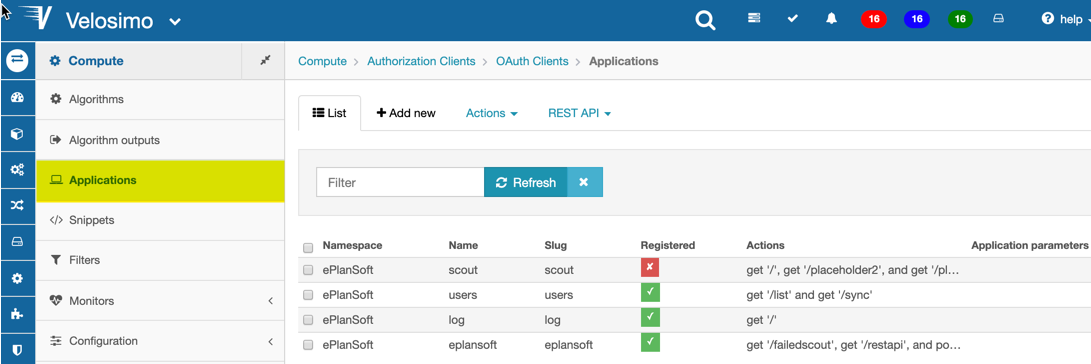
Go to Compute Menu/Application, and there you must view the application's list.
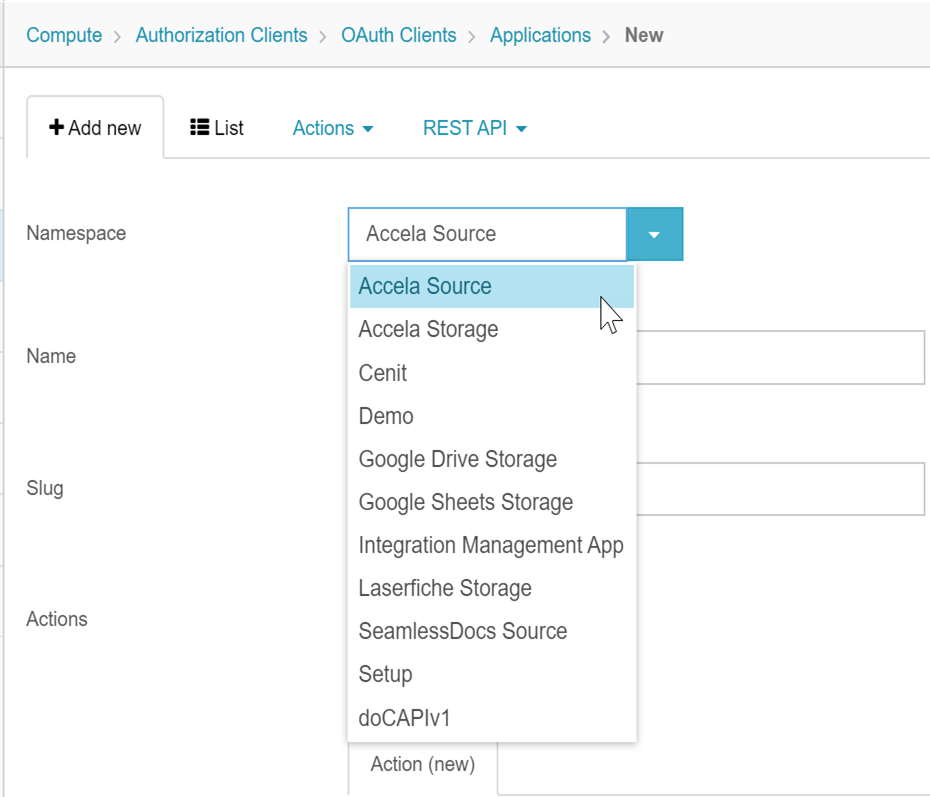
Select the Namespace that you will use.
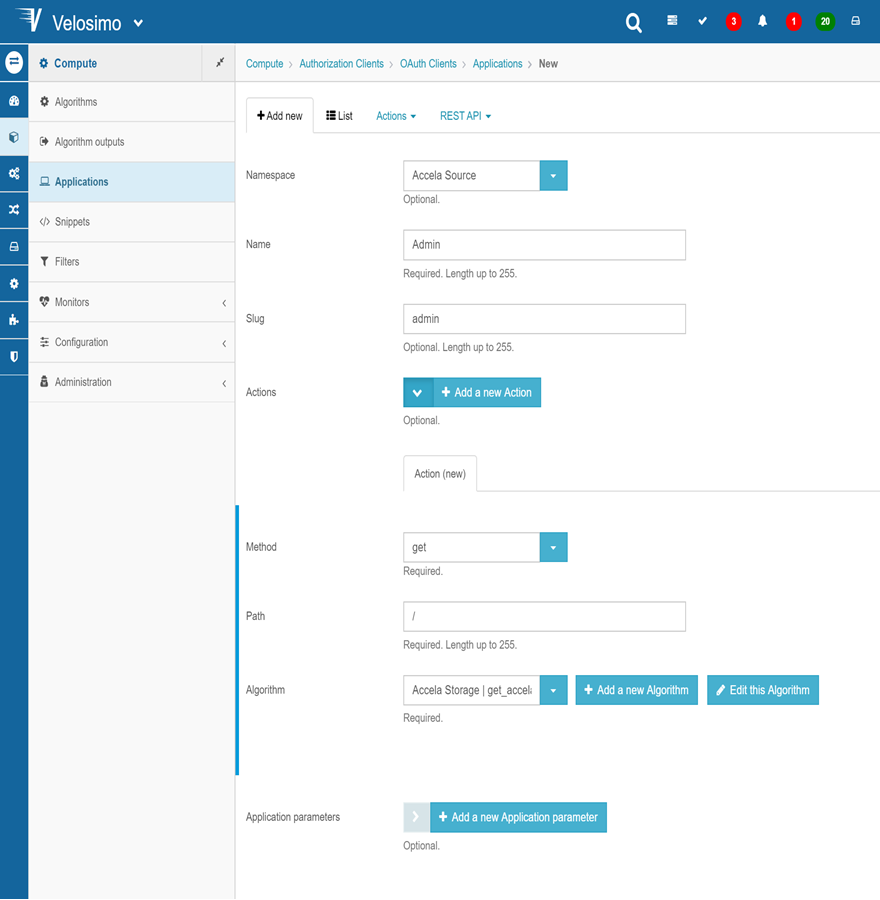
In a same tenant you could have many applications but with differents id and slugs.
-
Slug: it will be the slug that the application will be in the url path.
-
Registered: if the application is registered, the application will be available outside Velosimo.
-
Actions: these are the algorithms or actions the application will have. They must be acceded by the way: https://velosimo/app/{app_id_or_slug}/{action_path}
-
Method: It defines the request method how is access the action of the application outside Velosimo. For example: GET/POST/UPDATE etc.
-
Path: the URL path after the App URL base, wich the action will be accessible outside Velosimo.
-
Action: This is the algorithm that the application will execute when the path is consulted. What this algorithm returned will be rendered to the application URL path.
If you have in doubt how create an algorithm, follow this link: Algorithm section
This algorithm must have as parameters: "control" and "params".
Params parameter:
"params" variable is an hash object in which you could have the URL parameters obtained from the application outside Velosimo.
Control parameter:
"control" is an object that is passed as parameter in the actions algorithms. This object allows you access to differents methods to reduce the Velosimo elements calls.
-
control.algorithm: Method to access to an algorithm passed as a parameter.
control.algorithm(:get_products).run([parameters])
-
control.data_type: Method to access to a datatype passed as parameter.
product = control.data_type('Accela::Record').where('product_sku' => '123').first -
control.notify: Method to create notifications.
control.notify("Something") -
control.fail: this calls to Velosimo fail function.
control.fail('Access deny') -
control.render json: this is what the algorithm will render to the application in json format.
control.render json: { notice: obj.message }, status: 200
-
Application Actions
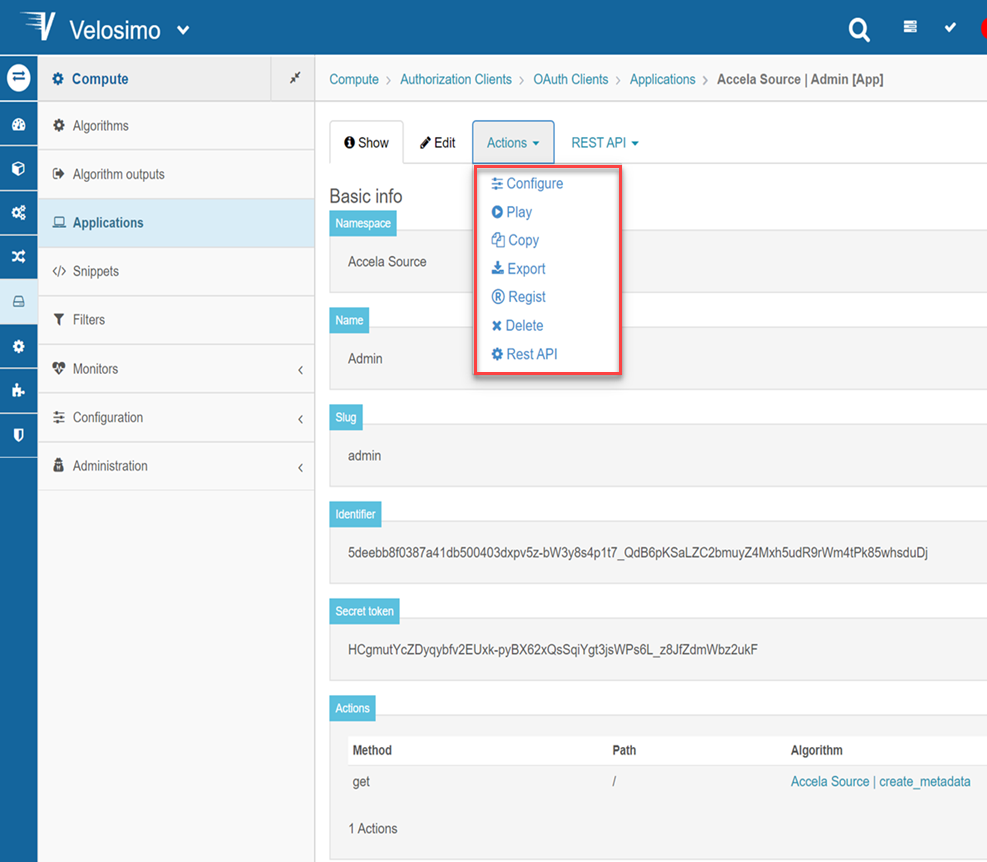
Configure
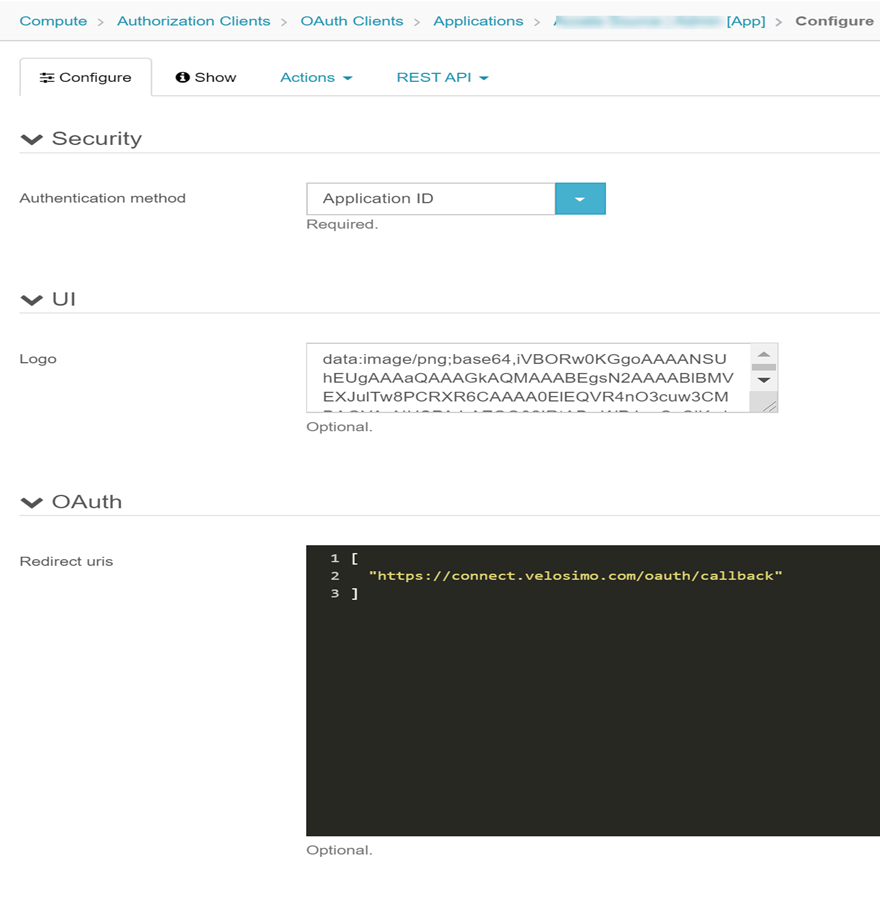
-
Authentication method: Is how the app will be acceded.
-
Application ID
If the app is configured as "Application ID" it means the user can access to it by https://velosimo/app/{app_id}/{action_path}. Velosimo does not request authentication to your app if is configured of that way.
-
User credentials
If the app is configured as "User credentials" it means the user can access to it by https://velosimo/app/{app_slug}/{action_path}. In this case, when you can access the app, Velosimo will request authentication. If the access to the app is via API, you must provide the: X-Tenant-Access-Key and X-Tenant-Access-Token. If the app has acceded UI, Velosimo will request the user and password to enter to your account.
-
-
Redirect urls
- In Velosimo the redirect URL is by default: "https://velosimo/oauth/callback"
Regist
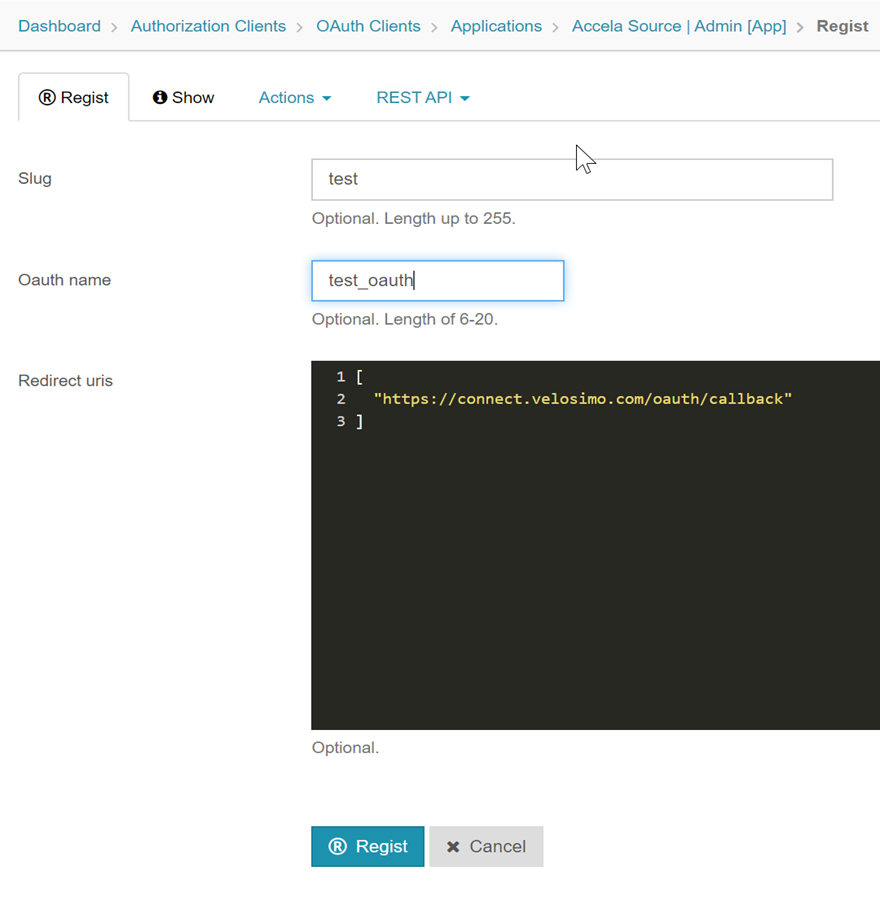
There is where you should provide the slug for access to the app: https://velosimo/app/{app_slug}