Flows
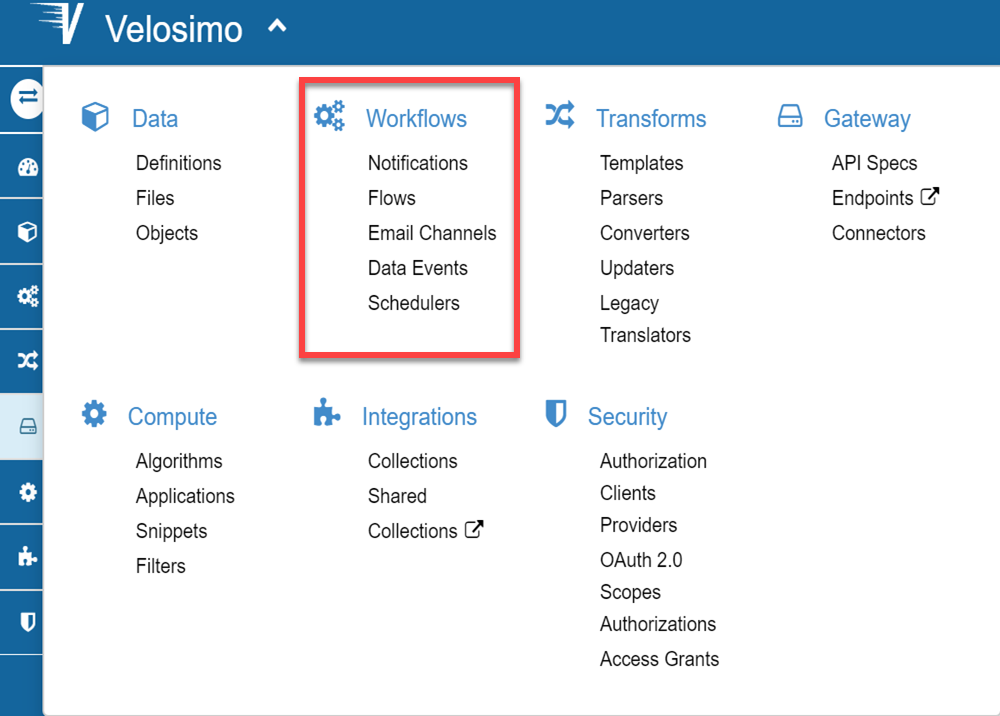
Workflows
The workflows define a set of resources (translators, webhooks, algorithms and data) that control the process in a flow structure. Under the workflow menu you can define a flow and the related elements: Data Events, Notifications, etc.
Flow
Flows define how data is routed between endpoints and integrations in order to automate your operations. The relevant flows will be triggered based on the events that you define for your endpoint.
There are three kinds of integrations. Which you will use will depend on the translation kind selected in the configuration flow. Depending on the translator or the flow type, Velosimo will require you to fill data in the flow form. The flow types are:
- Parser/Import: It refers to GET petitions. The flow will do a Get request and the data will be obtained in the parser translator.
- Converter: There may be flows that do not have an associated endpoint in its operation or don't request any petition outside Velosimo, it refers to a transformation between two data in Velosimo internally, in which we will perform a set of actions based on information that already we have stored in Velosimo.
- Export/Translator: It refers to a flow where the data is transform in a translator wich result is export while a POST/UPDATE/DELETE petition to a API.
Add New
For creating a flow you must have in mind what events, translators, algorithms, and data will be related in a petition while a webhook/resource. Create a translator, involves 3 fundamental steps in the wizard form: “Select the translator”, “Select the webhook” and “Save and done”.
To see more on the general elements in a form visit Tutorial > Basic Integration.
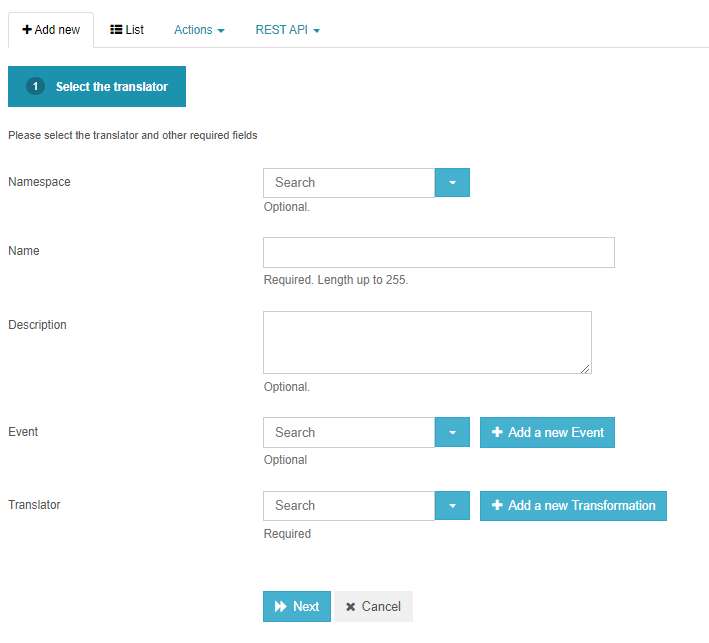
The flow form is extensive, there are some specifications of the fields to fill out. The others fields as Webhook, Authorization and Connection role, are selection items, if doesn’t exist, you can create them. They appear if are necessary depending on the flow kind.
• Event: Here, you should put the event which you want work. If you select or create one of “Data Event” type, in the form will appear a new field: Source scope, and the field Source data type, will become as mandatory. It isn’t if the event is a Scheduler.
To see more on creating an event visit Workflow > Data Events and Workflow > Schedulers.
• Translator: Select or create the Transformation (Parser, Converter or Template). In the case of converters, only you need fill 2 steps to create the flows, the regards with webhook doesn’t fill.
To see more on creating Transformations visit Transforms.
• Before submit: Is the algorithm that you want to be executed before the translator of the flow is executed. It’s listed in the algorithms list. This algorithm must have the parameters: options and task, in this order.
• Discard events: It’s a check input, if checked, the events of another flows won't be triggered.
• Active: It’s a check input, it if isn’t checked, the flow will not active when the events or executions from the code call it. Another form of active or deactivate a flow, is through the list, with the Active Icon.
• Auto retry: This is a selection Item, its values are: manually or automatic.
• Notify request: This option, if is checked, allows that the flow notification of request flow will be stored in System notification list.
• Notify response: This option, if is checked, allows that the flow notification of response flow will be stored in System notification list.
• After process callbacks: Algorithms executed after flow processing, execution state is supplied as argument with the "task" parameter.
• Response Translator: It defines a parser translator where you can handle the data response after a export(POST/UPDATE/DELETE) petition.
All algorithms involve in a flow structure should have as parameter the variable: task.
To see more on creating Algorithms visit Compute > Algorithms
Flow tasks
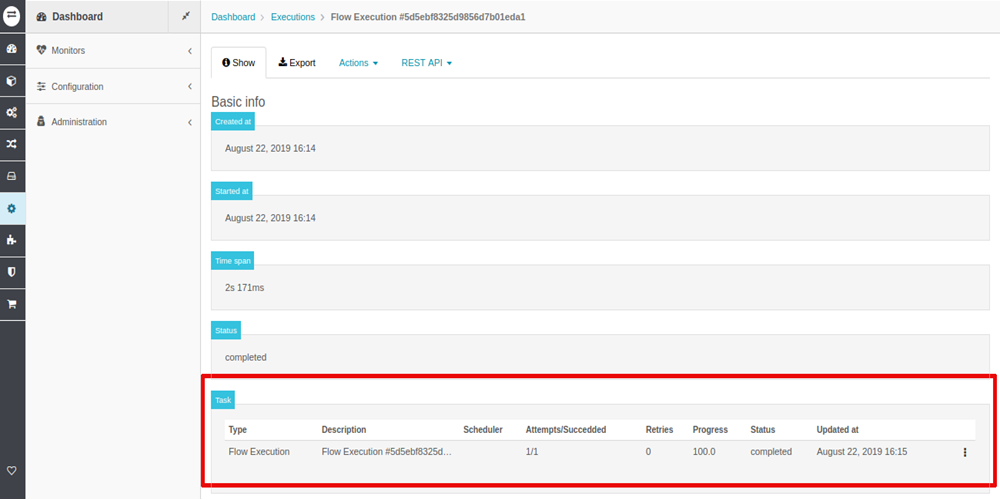
A flow execution will always triggers a task. You can see the task associated to it in:
- http://velosimo.com/execution
- http://velosimo.com/flow_execution
- http://velosimo.com/system_notification
Process a Flow
Always a flow will be executed if the flow is "Active". On the contrary, the task will be executed with a warning, and the Flow content won't be processed.
A flow can be executed by:
- Process action.
- Data Event.
- Scheduler Flow.
- Code.
Process action
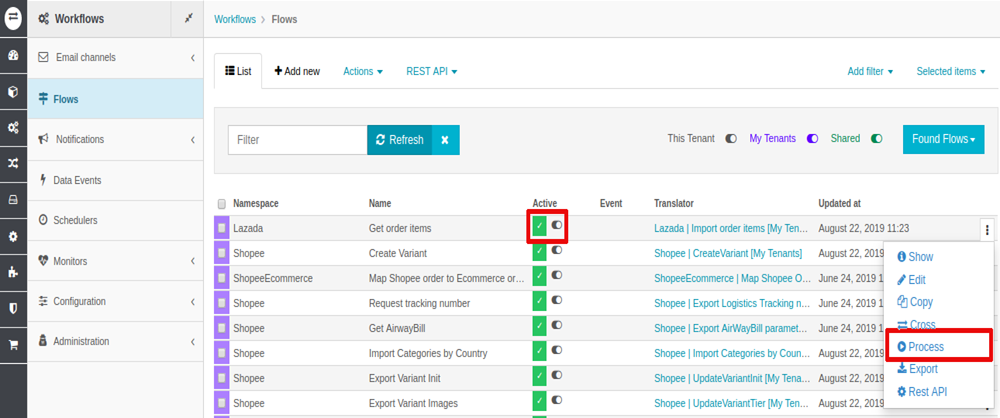
This execution triggers a task.
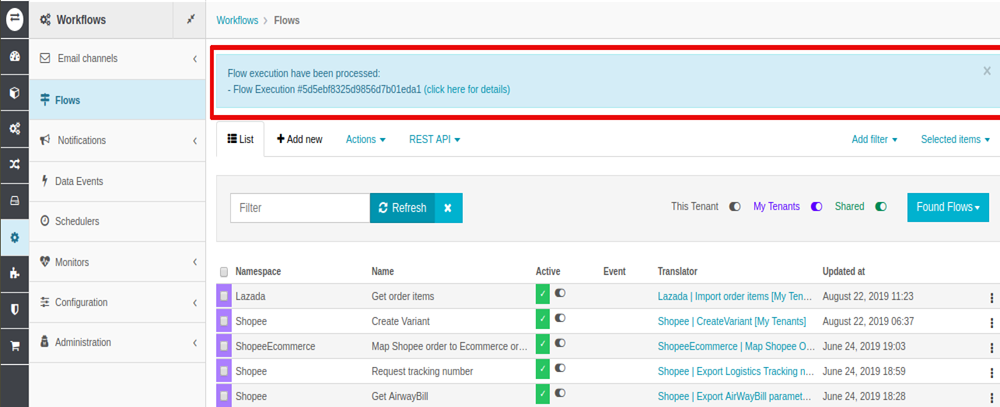
To see the task status go to the link referred above, and you will see the task details.