
Transforms
Transforms
Transforms
In Transforms menu is where you can find the submenus to create the types of translations for your flows.
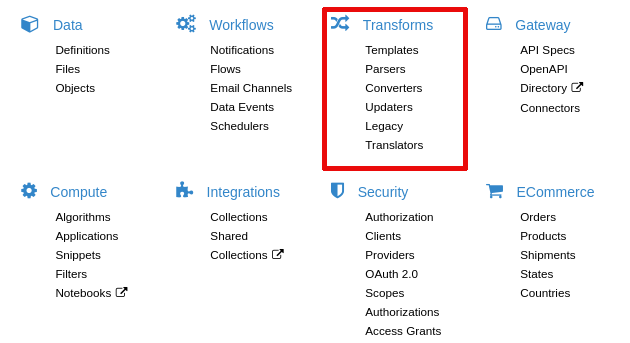
A Transformation defines a logic for data manipulation.
Data manipulation can occurs in the following main scenarios:
-
Importing outside data into Velosimo: Parser Translators
-
Converting data already stored in Velosimo: Converter Translators
-
Exporting data outside Velosimo: Templates Translators
How to run a tranlator via code
If you need execute a translator via code, or can run the following code:
Cenit.namespace('A').translator('B').run({ data: data })
Where {data: data} is the hash where the client should get the parameters list what handle in the translator.
Additional context
In the early beginning of Velosimo there was only one model for transformation. We sacrifice a well design and implement an only one model Translator to not complicate the Rails Admin navigation menu with a lot of entries. Now that we support index/create actions for multiple sub-models in the same navigation entry its time to correct the past.
The Translator model (Transformation in the future) is now the root of a hierarchy of several models, each model correspond to a combination of the old translator fields type and style. Here is a tree representing such relation:
Template (Export)
-
liquid: Setup::LiquidTemplate
-
xslt: Setup::XsltTemplate
-
html.erb: Setup::ErbTemplate
-
js.erb: Setup::ErbTemplate
-
ruby: Setup::RubyTemplate
-
pdf.prawn: Setup::PrawnTemplate
Cenverter (Conversion)
-
liquid: Setup::LiquidConverter
-
xslt: Setup::XsltConverter
-
ruby: Setup::RubyConverter
-
mapping: Setup::MappingConverter
Parser (Import)
- ruby: Setup::RubyParser
Updater (Update)
- ruby: Setup::RubyUpdater
Despite this list, there are other transformations included, which does not match any old translator style, those are Setup::HandlebarsTemplate and Setup::HandlebarsConverter
Several transformations uses template engines as Erubis (ERB), Liquid, Handlebars and XML Stylesheet. Lets know that when using such transformations they are just template engines and so they can be used to produce any kind of content type. For example, usually ERB is used to produce HTML content, but it can be used to produce JSON content:
{ "name": "<%= source.name %>" }
And in the same way a Liquid template can be used to produce HTML
<h1>Name: {{name}}</h1>
or JSON
{ "name": "{{name}}" }
The PRAWN template is an exception, it can just be used to produce PDF content and can only be written in Ruby so far.
XSLT templates should accomplish with the XML Transformation standard.
The converters based on template engines such as Liquid, Handlebars and XSLT, can produce any content type too, as always they can be parsed using JSON, XML or and EDI parser supported by Velosimo. For example, and XML transformation may produce a JSON content like this:
<?xml version="1.0" encoding="ISO-8859-1"?>
<xsl:stylesheet version="2.0" xmlns:xsl="http://www.w3.org/1999/XSL/Transform">

 <xsl:output method="text" />

 <xsl:template match="/">
  { "name": "Converted <xsl:value-of select="/A/name" />" }
 </xsl:template>

</xsl:stylesheet>
Of course is simpler to use for this case a template like Liquid or Handlebars by writing directly
{ "name": "Converted {{name}}" }
The converter will detect that the produced content has a JSON format and will parse it to create or update a record. So a Ruby converter with a code like this
target.name = "#{source.name} (converted)"

target.count = source.items.count

target.total_price = source.items.inject(0) { |s, item| s + item.price }
can be written as a Liquid converter as follows
{
  "name": "{{source.name}} (converted)",
  "count": "{{source.items.count}}",
  "price": "{% eval source.items.inject(0) { |s, item| s + item.price } %}"
}
Remember here the eval tag is a Velosimo extension to allow secure Ruby code evaluation into liquid templates.