
Template
Templates
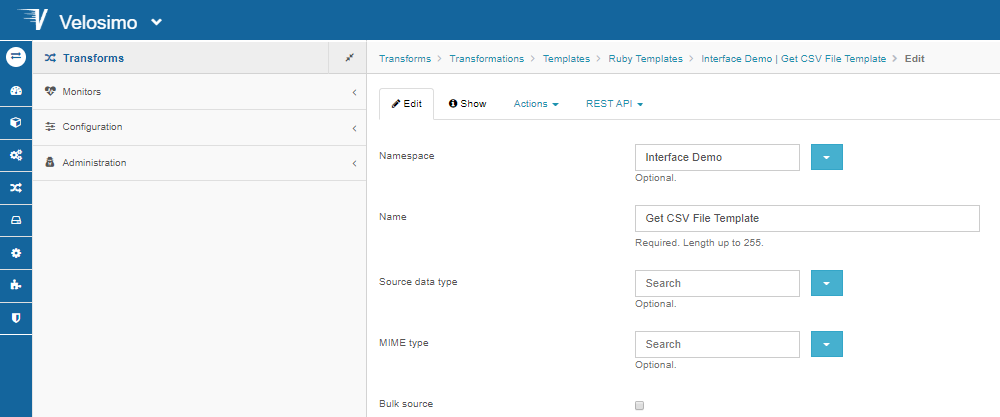
Templates or Export Transformations format data type records into data going outside Velosimo.
-
Source data type defines: The source data type defines the type of the records to be formatted.
If no source data type is defined then the Transformation is supposed to be able to format records of any data type.
-
Bulk edit: Depending on the Transformation having the option bulk source, the variable source or sources is available representing a single record or an enumeration of records to be formatted.
A simple non bulkable JSON exporter can be defined by the following transformation: source.to_json
If the Transformation is bulkable a little more of transformation code is needed to format all the source records into a single JSON data:
if (jsons = sources.collect { |source| source.to_json(pretty: true) } ).length == 1
  jsons[0]
else
  "[#{jsons.join(',')}]"
end
The result of the translation execution is the value of the latest evaluated expression.
There are a set of predefined methods available on record objects that can be used for basic formats:
to_(json|xml|edi)
Every formatter method can receive options, for example:
source.to_json(pretty: true)
source.to_xml(with_blanks: true)
source.to_edi(field_separator: ‘+’)
In the template/exporters the variable source_data_type is a reference to the Transformation source data type.
A transformation for bulkable XML exporter can be written as following:
if sources.count == 1
  sources.first.to_xml
else
  sources.to_xml_array(root: source_data_type.slug)
end
A transformation for bulkable JSON exporter can be written as following:
sources.first.to_json
Ruby Templates
The simplest way to configure a Ruby template is by invoking the build-in format methods (to_hash, to_json, share_hash, to_xml, to_edi) on the local variable source, which represent the source record the template is being applied to. For example for a JSON template just the following code:
source.to_json
there are some options that can be used for the build-in methods, perhaps the template should be pretty JSON formatted, or some properties must be excluded:
source.to_json(pretty: true, ignore: 'id')
For the previous example where a data type is supposed to have the properties name and items where items is an association the above code will generate a JSON like this:
{
  "name": "A",
  "record": [
    {
      "name": "A1",
      "record": 1.0
    },
    {
      "name": "A2",
      "record": 2.0
    },
    {
      "name": "A3",
      "record": 3.0
    }
  ]
}
The build-in format methods use the data type structure to generate the template, by default all properties are included. Of course a JSON template with completely different entries can be configured by typing the appropriated ruby code. For example:
{
  name: source.name,
  count: source.items.count,
  price: source.items.inject(0) { |s, item| s + item.price }
}
will produce the following JSON
{
  "name": "A",
  "count": 3,
  "price": 6.0
}