
Data Events
Workflows
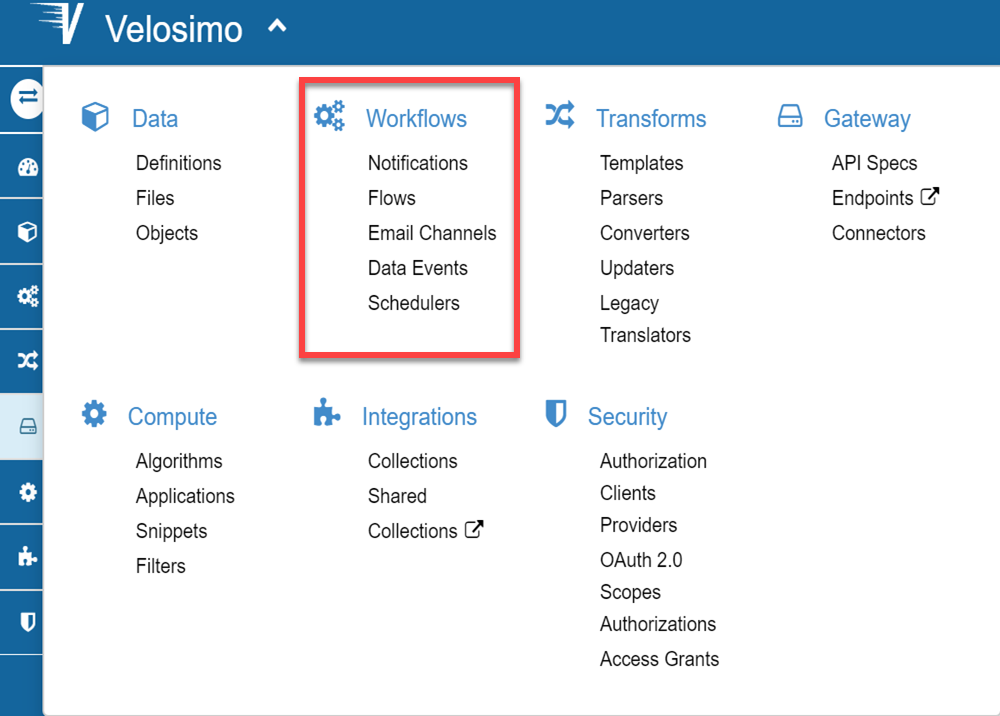
The workflows define a set of resources (translators, webhooks, algorithms and data) that control the process in a flow structure. Under the workflow menu you can define a flow and the related elements: Data Events, Notifications, etc.
Data Events
The events define when flow or a task could be executed depending if the condition linked to a data type is true. You can access them through the main menu: Workflows/Data Events.
The creation of new objects and/or changes in existing objects will result in events. These events ultimately result in calls being made to various Flows in your integrations as well as your endpoint.
Events are invisible to your integrations. Your integrations only deal with receiving and returning objects. They are, however, impacted by events since the events are responsible for determining when your integration’s webhooks are called.
For create one of them go to "Add new" option.
If you are in doubt about the options in the Velosimo view do to: Generic Actions Section
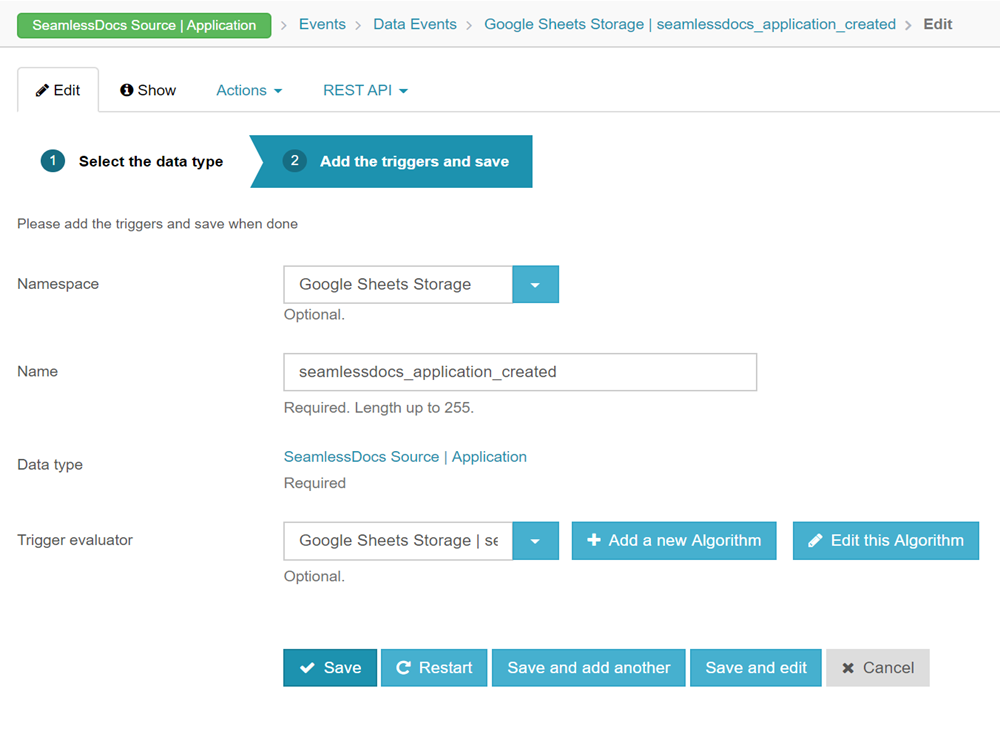
• DataType: It is the object in which the event condition will be applied. • Trigger evaluator: If your event is conditioned by a processing, you have the possibility to program it through an algorithm. • Triggers: It is where you can add the differents triggers conditions for your observer. The triggers are conditioned by an specific attribute of the datatype.
The evaluations for the triggers are:
-
For all fields:
• Is present: It’s used when the record already exists. For example, if we use “Is present” with create_at, the event will trigger when a new record already exists. If it is used in an update_at, the event will trigger when an update of an existing record is made.
• Is blank: The event will be launched when the record exists and is blank.
• Change: The event will be trigger when the record has some change. It may be that it is created from the beginning, or that it already exists.
• Present and Change: The event will be trigger when the record exists and change any value. It depends of the conditions created.
In addition to these, also for differents kind of data there are:
-
Date
- Between … and …
- Today
- Yesterday
- This [Week, Month, Trimestral, Semestre, Year]
- Last [Week, Month, Trimestral, Semestre, Year]
-
String
- Is exactly
- contain
- Start with: (prefix)
- End with: (suffix)
-
Boolean
- select [true, false]
-
Number [Decimal, Float, Integer]
- number: especific_number
- Between: start: [- infinite] end: [+infinite]
- is_present? (insure that is present)
- is_blanck? (nil or zero)