Schedulers
Workflows
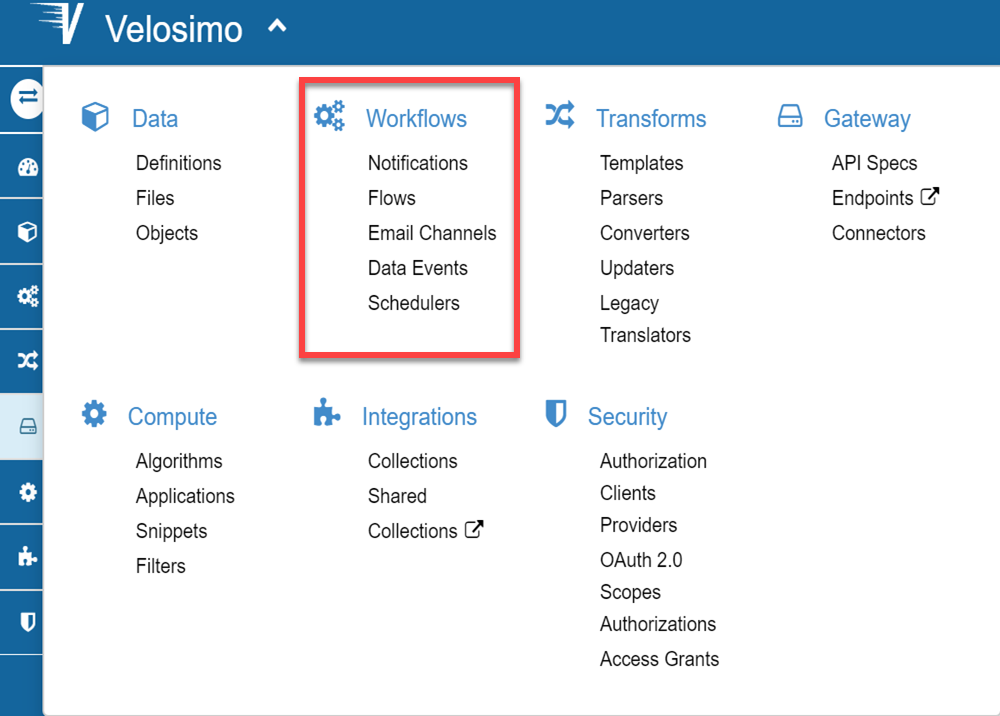
The workflows define a set of resources (translators, webhooks, algorithms and data) that control the process in a flow structure. Under the workflow menu you can define a flow and the related elements: Data Events, Notifications, etc.
Schedulers
Schedulers are events triggered on a certain moment and can be optionally recurrent. You can access to it via Workflow/Scheduler Menu, and there you must view the list of them.
Add New
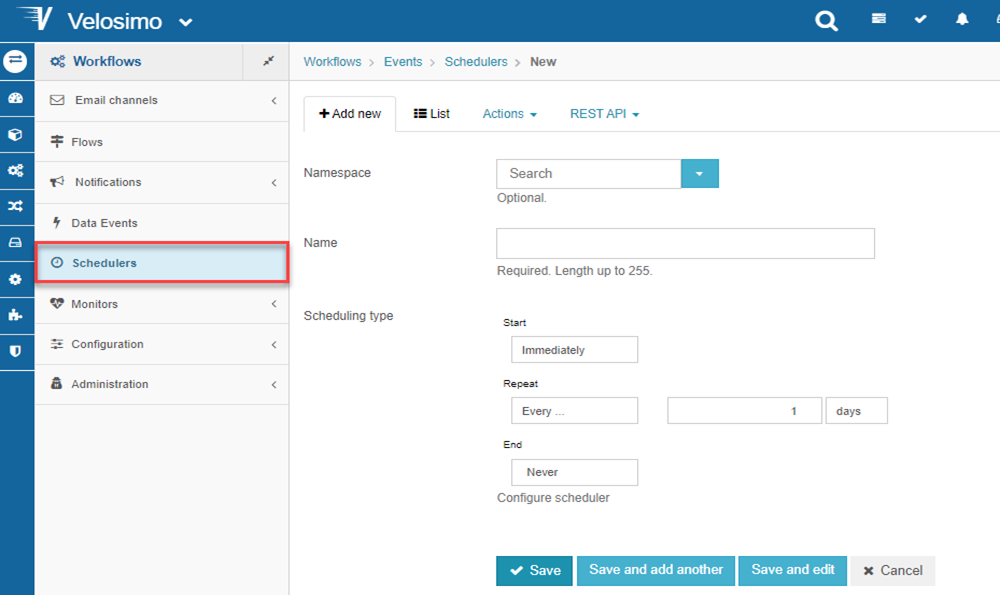
This is the form to create a scheduler. These are the options can be specified for the moment the scheduler would be triggered for the first time, and how it should be rescheduled and finally when should it stop. All this options default to a 'Start on activation, run every day' setting.
-
Start section. If the scheduler shouldn't start immediately after activation, a date can be specified for it. A date picker facilitates the selection.
-
Repeat section. Schedulers can be a one-time execution, or a specific periodicity, but can also be triggered on appointed dates. For periodical executions choose the 'Every...' option, enter a number in the input box and select the time span. Otherwise, for appointed dates choose the 'Select manually'. The first thing for manual scheduling would be to specify the time of day the scheduler should be triggered at, and then decide on a week-based approach or a month-based approach.
-
End section Finally, the task can be scheduled to end, so that it doesn't get queued for execution passed some date, it is very much like the starting date set.
Activate Scheduler
For activate a scheduler, you must go to "Activate/Deactivate" action.
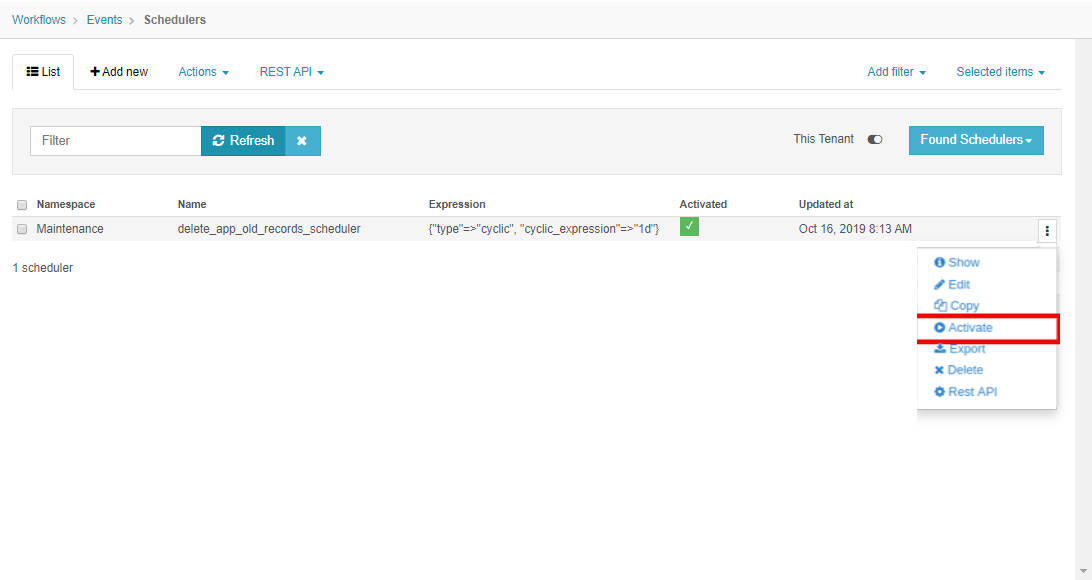
The schedulers Activated are observing when the condition are true to execute the tasks linked to them.
Associate Scheduler to a Task
You can associate schedulers to a flow or to an algorithm task.
Flow task:
If you want you flow be executed in a periodic time you should first process the flow:
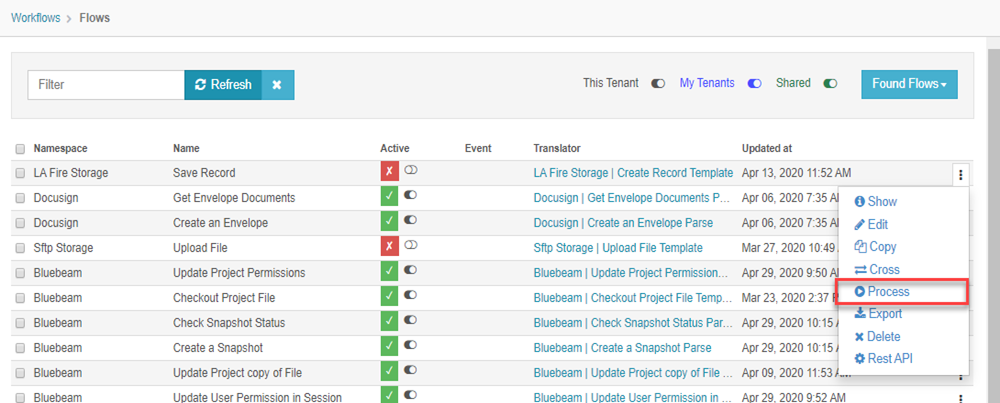
This execution triggers a task.

To see the task status go to the link referred above, and you will see the task details.
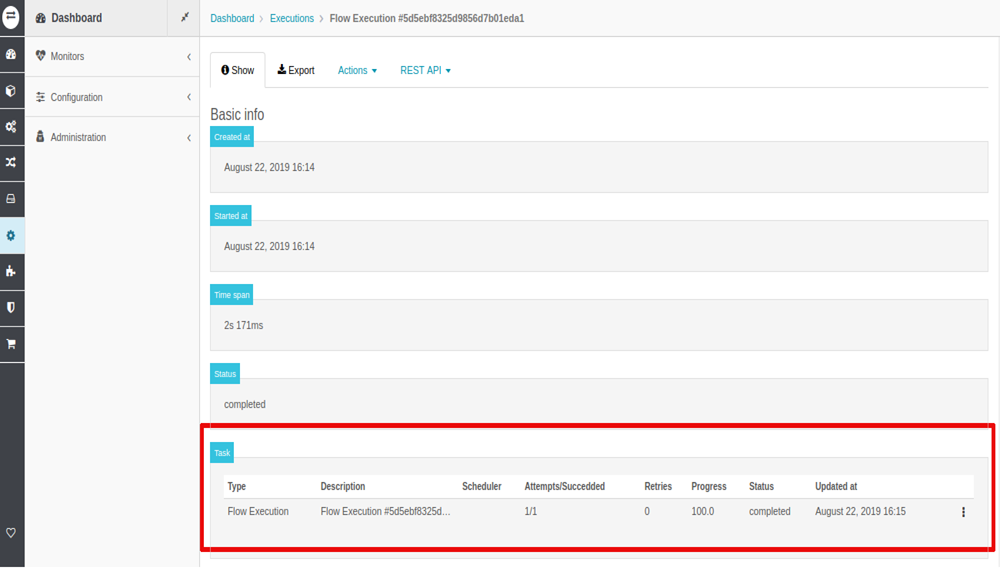
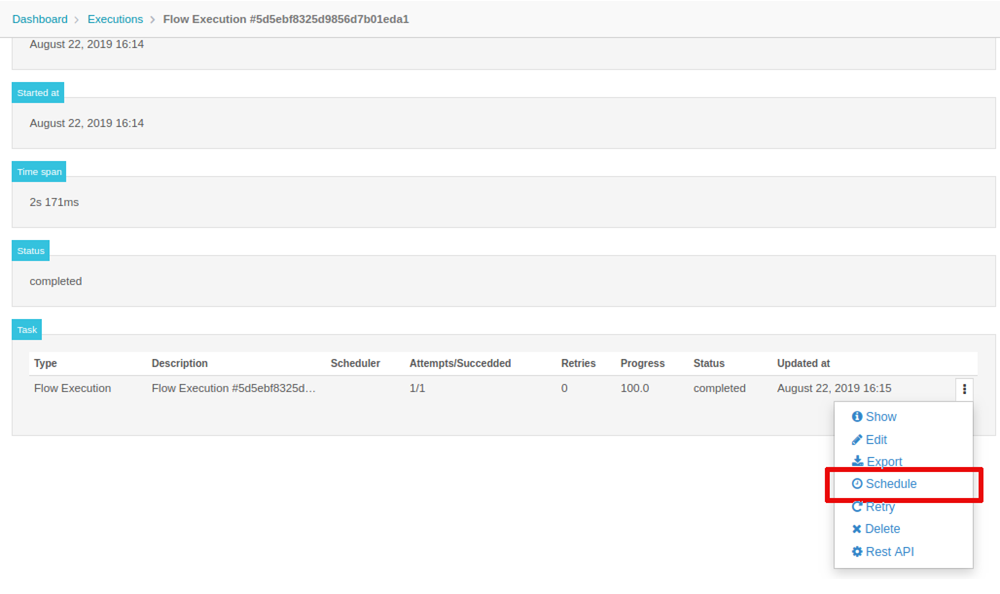
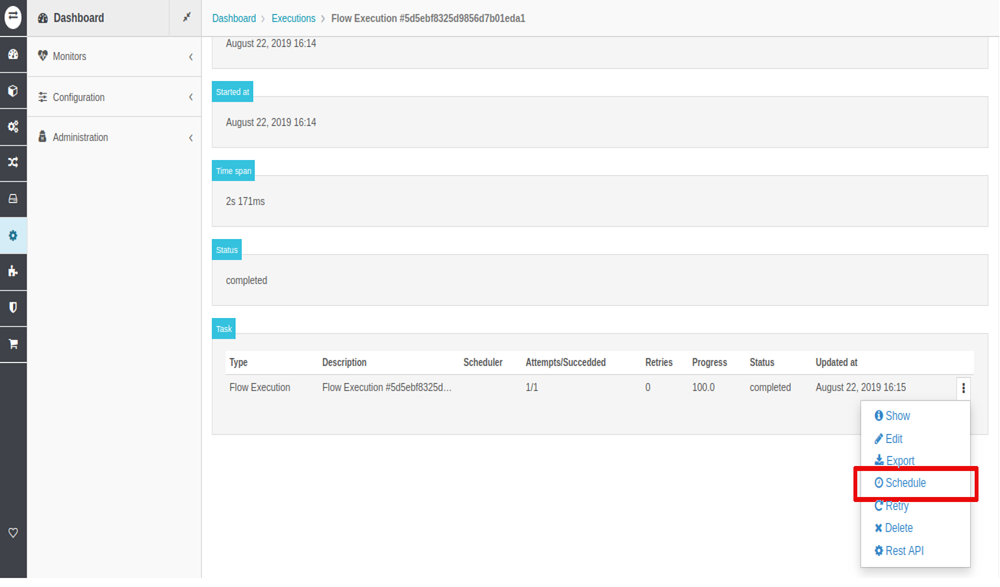
After the process a flow, you can go to the task related with this and scheduler it.
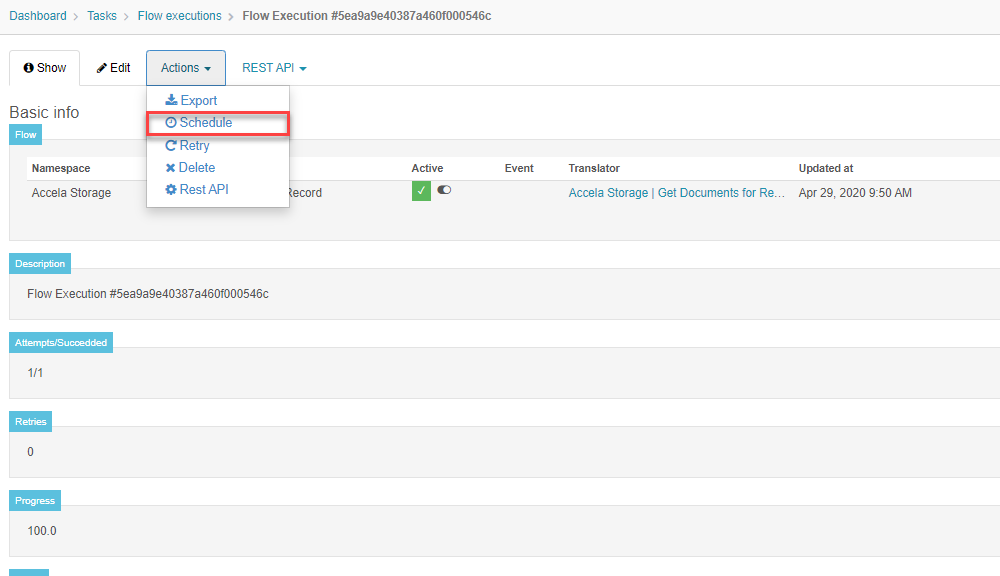
Also, you can go to the Show action of the Task, and go to the Action menu, and go to the Scheduler option.
Algorithm task:
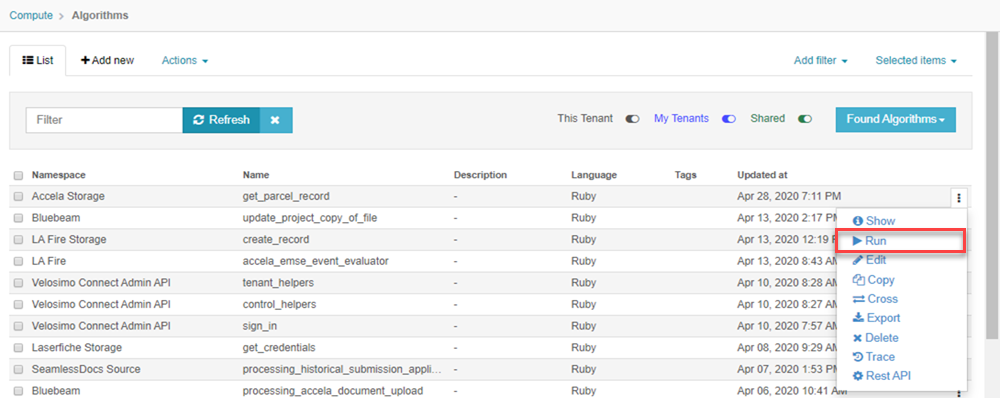
If you want the execution of the algorithm be scheduler you must first run the algorithm:
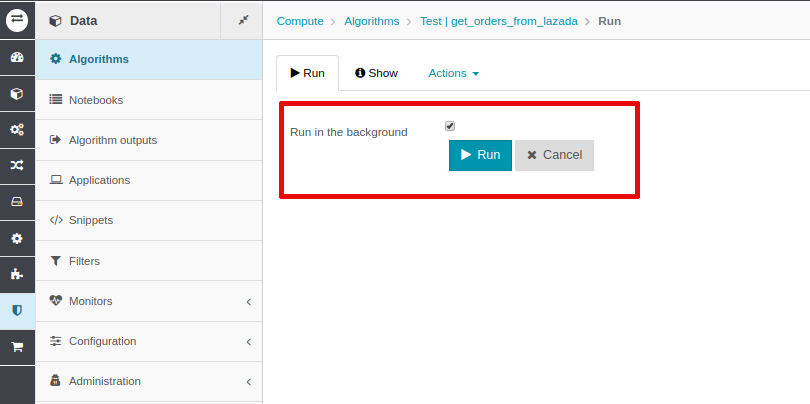
And select the option run as backgroud.
Select the task triggered by the algorithm execution.

Associate the task to the scheduler.