
3rd Party Integration
- Velosimo Configuration
- Accela Configuration
- Solution
- Updating the Project ID
3rd- party Integration
To integrate the Accela records with a third-party document review tool such as ePlanSoft all the records included in the ePlanSoft integration need to be added to this setting. The department mappings, Construction Type Mappings, and Contact Type Mappings all need to be updated. After you configure the standard choice EXTERNAL_DOC_REVIEW, these data mapping tools enabled.
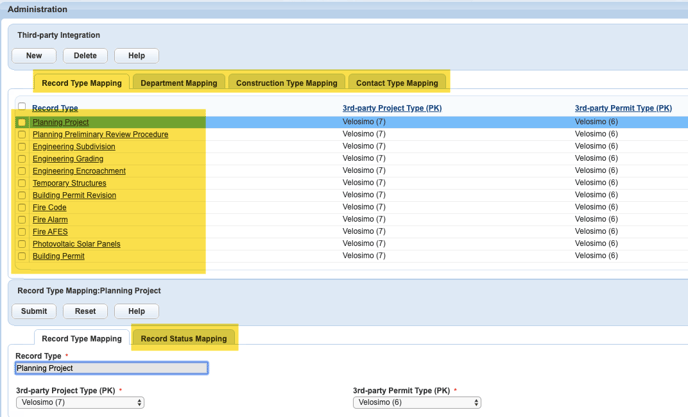
Record Type Mapping
-
Click the New button.
-
Select a record type from the picker.
-
Select Velosimo(1) for all the 3rd-party drop-down fields.

-
Click the Submit button.
Record Status Mappings
Watch how to map Record Statuses
-
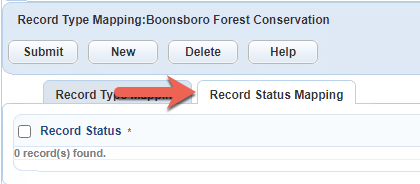
Click the Record Status Mapping tab.
-
Click the New button to add statuses.
-
Select a Record Status and select Velosimo from the 3rd-party Permit Status Type.

-
Click the Submit button.
Department Type Mapping
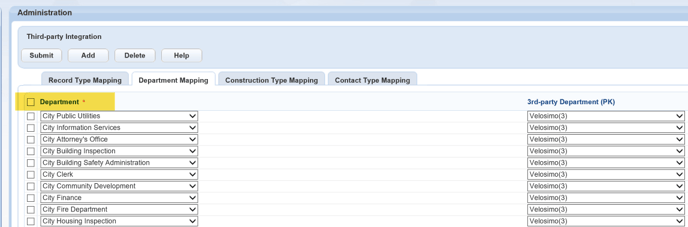
Add all the departments included in the ePlanSoft integration.
-
Click the Add button.
-
Select the Department from the drop-down.
-
Select Velosimo(1) for the 3rd-party department drop-down fields.
-
Click the Submit button.
Construction Type Mapping
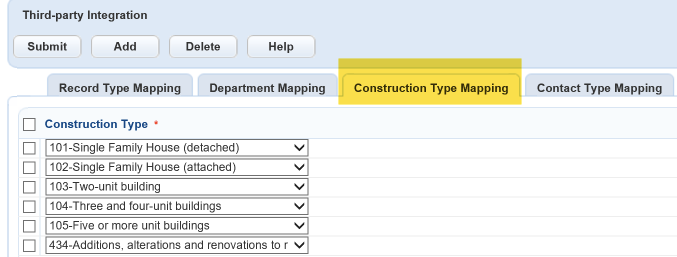
This setting maps to the “Construction Type” field on the Addtl Info tab. The project assignments cannot be created in ePlanSoft if the Construction Type field is blank in Accela.
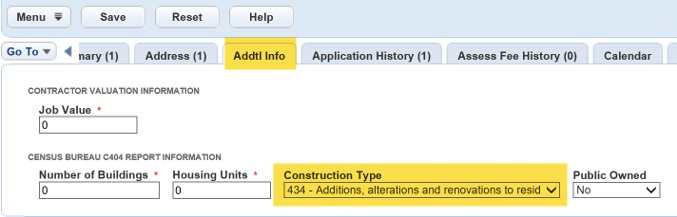
Watch how to map Construction Type
-
Click the Add button.
-
Select the Construction Type Mappings from the drop-down.
-
Select Velosimo(1) for the 3rd-party const type drop-down fields.
-
Click the Submit button.
Contact Type Mapping
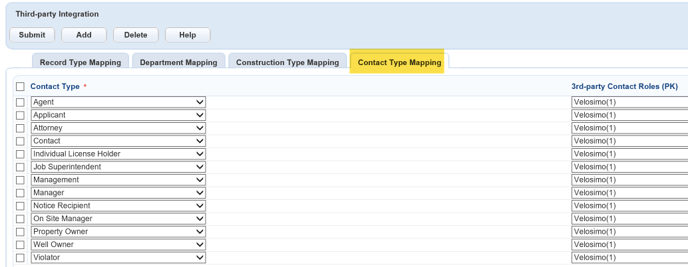
This setting maps to the “Contact Types” that are available to ePlanSoft.
-
Click the Add button.
-
Select the Contact Type from the drop-down.
-
Select Velosimo(1) for the 3rd-party Contact Roles drop-down.
-
Click the Submit button.